

Unity 6.6 WebGPU Production Enable - First Indie Browser Worksheet 2026
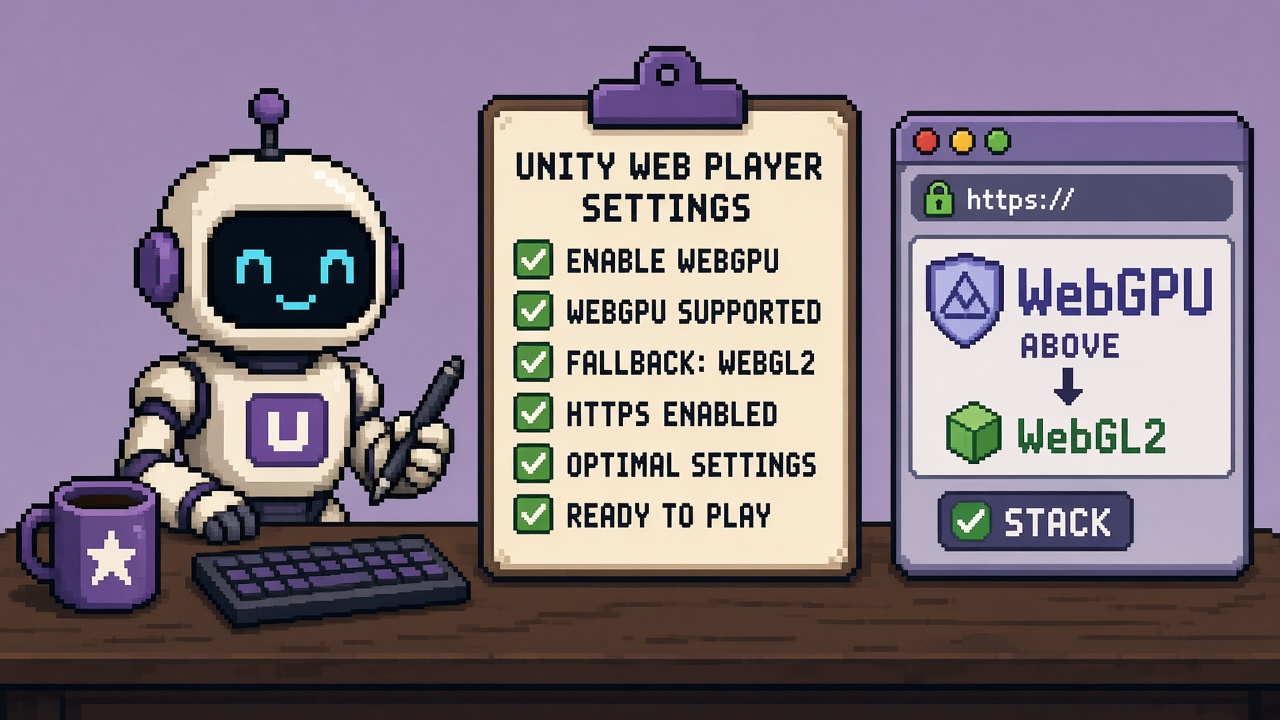
If you searched unity 6.6 webgpu enable after Unity called WebGPU production-ready, you do not need another “compute in the browser” montage. You need a fill-in enable worksheet that latches one honest verb before Discord invents “delete WebGL2 and ship”:
- Engine lock — Unity 6.6 (6000.6) for production WebGPU support
- Graphics APIs — Auto Graphics API off; WebGPU above WebGL 2; WebGL 2 not removed
- Reach policy — read WebGPU without WebGL2 fallback Stop before only-mode folklore
- Device Filter (optional) — allowlist mature engines; do not treat filter as delete-fallback
- Secure-context smoke — HTTPS / approved host; WebGPU + fallback boots
- Decision code — PAIR_ENABLE, ABORT, or ESCALATE
This URL is that worksheet. It is not the WebGPU WebGL2 fallback Stop (refusal). It is not the Experimental WebGPU 2026 test guide (pre-graduation matrix). It is not the queued WebGPU tools listicle or the Build Analysis tools listicle. Those own refusal, Experimental testing, toolkits, and content directories. This URL owns the production enable fill-in artifact — sections, gates, Discord paste, receipt.
Why this matters now
New in Unity 6.6 and the WebGPU out of experimental thread state the milestone: WebGPU is a fully supported Web graphics API — still not enabled by default. WebGL 2 remains the default. Enable by disabling Auto Graphics API, adding WebGPU, placing it above WebGL 2, and keeping WebGL 2 as fallback. Device Filtering, compatibility mode, Progressive Asset Loading, and WebAssembly64 caveats sit in the same release docs. Unity 6.6 is now available restates production WebGPU, Fallback behavior, and secure-context hosting notes for shared links.
October 2026 is when teams upgrade for other 6.6 features and “casually flip WebGPU” on a jam build. Without a worksheet, someone skips HTTPS, deletes WebGL 2, or never screenshots the Graphics APIs list — then blames Unity when Safari visitors see a black page.
Direct answer: Fill Sections A–F before you call the browser path “enabled.” Latch PAIR_ENABLE only when W1–W8 are green. If WebGL 2 is missing, stop and run the fallback Stop — do not invent only-mode on this page.
Who fills this worksheet
| Audience | Outcome |
|---|---|
| Beginners | Ordered clicks in Web Player Settings |
| Developers | W1–W8 gates + Device Filter + dual-path smoke |
| Creators | Discord paste that stops “WebGPU-only” folklore |
| Companies | CapEx four-liner + diligence-ready receipt |
Time: 45–75 minutes first sandbox Web build; 15 minutes to re-latch after settings changes.
Honest limit: Browser support moves — re-check caniuse WebGPU before claiming coverage. Unity can revise preference labels in patches — trust your Editor panel over memory.
Non-repetition
| URL | Job |
|---|---|
| WebGPU WebGL2 fallback Stop | Refuse WebGPU-only shipping |
| Experimental WebGPU 2026 test guide | Pre-graduation test matrix |
| Build Analysis tools | Build size / content directories toolkit |
| Android GLES 3.1 floor | Mobile OpenGL ES minimum (sibling backlog) |
| Upgrade safety sprint | Broader 6.6 migration |
| This URL | Fill-in production WebGPU enable worksheet |
Pair packaging issues with Addressables catalog hash fix and 18 free migration triage resources.
Official facts you must quote (not invent)
From WhatsNew 6.6, WebGPU out of experimental, and Unity 6.6 available:
- Production-ready / out of experimental in Unity 6.6 — still an opt-in.
- WebGL 2 remains default until you change Graphics APIs.
- Enable path — disable Auto Graphics API; add WebGPU; put WebGPU above WebGL 2.
- Keep WebGL 2 — remove it and unsupported browsers fail to run.
- Device Filter asset — allow/deny which browsers may use WebGPU; fallback needs WebGL 2 present.
- Compatibility mode — automatic stricter limits on weak WebGPU devices.
- Secure context — browsers expose WebGPU in secure contexts; plan HTTPS hosting.
- Progressive Asset Loading — optional Web publishing setting (per-scene load); orthogonal to deleting WebGL 2.
- WebAssembly64 — optional memory path; not recommended for load-time sensitive cases; Safari lacks Wasm64.
Pasteable diligence line:
We enable Unity 6.6 WebGPU as an opt-in with WebGL 2 retained underneath, smoke both paths on a secure host, and file
unity_webgpu_production_enable_receipt_v1.jsonbefore calling the browser build production-ready.
Section A — Project lock (fill in)
| Field | Your answer |
|---|---|
| Project name | ____ |
| Unity version (must be 6.6 / 6000.6+ for this production path) | ____ |
| Web build target branch | ____ |
| Ship / jam public link? | Y / N |
| Mandatory browsers (list) | ____ |
| Session owner | ____ |
| Decision goal | PAIR_ENABLE / ABORT / ESCALATE |
A-gate: Pre-6.6 Experimental-only guidance is not this worksheet. Upgrade or stay on the Experimental test guide for R&D only.
A checklist
- [ ] Editor is 6.6 (or newer patch on 6000.6 line)
- [ ] Web platform module installed
- [ ] Named owner will file the receipt
- [ ] Fallback Stop read if anyone proposed WebGPU-only
Section B — Graphics APIs lock
| Field | Your answer |
|---|---|
| Auto Graphics API | Off / On → fix |
| Graphics APIs order (top → bottom) | 1) ____ 2) ____ |
| WebGPU present? | Y / N |
| WebGL 2 present under WebGPU? | Y / N — N = STOP |
| Screenshot path of Graphics APIs list | ____ |
B-gate: WebGPU without WebGL 2 → ABORT. Restore WebGL 2 before any PAIR_ENABLE. See fallback Stop.
Enable clicks (copy)
- File → Build Settings → Web → Player Settings.
- Other Settings → Auto Graphics API → disable.
- Add WebGPU to Graphics APIs.
- Drag WebGPU above WebGL 2.
- Confirm WebGL 2 remains in the list.
- Screenshot the list into the receipt folder.
Section C — Device Filter lock (optional but recommended)
| Field | Your answer |
|---|---|
| Using WebGPU Device Filter asset? | Y / N |
| Allow filters (engine / version notes) | ____ |
| Deny filters | ____ |
| Confirmed: filter does not replace WebGL 2 | ☐ |
C-gate: Empty allowlists that accidentally deny everyone → fix before ship. Filter is reach control for the WebGPU path, not permission to delete fallback.
C notes
Unity pre-populates recommended allow defaults for mature engines in current docs waves — verify against your Editor version’s Device Filter UI. Prefer engine-based rules over brand folklore. Re-read WhatsNew / Device Filter intro when labels shift.
Section D — Hosting and secure-context lock
| Field | Your answer |
|---|---|
| Host plan | Unity Play / itch HTTPS / custom HTTPS / other ____ |
| HTTP-only forbidden for WebGPU smoke? | Confirmed ☐ |
| Compression (Brotli/Gzip) noted if Progressive Loading used | ☐ / N/A |
| Progressive Asset Loading enabled? | Y / N / later |
D-gate: Local file:// or plain HTTP “quick test” is not a green WebGPU smoke for shared links.
D beginner trap
Unity Play and similar hosts matter because they give a link without you standing up TLS — still confirm the served page is a secure context before declaring WebGPU verified.
Section E — Dual-path smoke (mandatory)
Fill during smoke — not from memory.
| Step | Action | Expected | Pass? |
|---|---|---|---|
| E1 | Build Web player with Section B settings | Build succeeds | Y / N |
| E2 | Open on a WebGPU-capable browser (HTTPS) | Runs; note API in logs/HUD if available | Y / N |
| E3 | Open on a fallback path (browser/device without WebGPU, or forced deny via Filter if tested) | Still runs via WebGL 2 | Y / N |
| E4 | Watch for black screen / immediate quit on either path | None | Y / N |
| E5 | Optional: Progressive Loading first-scene timing note | Written | Y / N / skip |
E-gate: E2 or E3 fail → ABORT PAIR_ENABLE. Do not ship “WebGPU looks great on my laptop.”
Suggested smoke prompts (team)
Path A: Chrome/Edge current on HTTPS — confirm playable; note WebGPU path if HUD/log exposes it.
Path B: Browser or Device Filter deny case — confirm WebGL 2 still boots.
If Path B black-screens: restore WebGL 2, re-screenshot Graphics APIs, re-smoke.
Section F — Allowlist / decision latch
| Decision | Meaning | Latch |
|---|---|---|
| PAIR_ENABLE | WebGPU above WebGL 2; dual smoke green; host secure; receipt filed | ☐ |
| ABORT | Missing WebGL 2, failed smoke, wrong Unity version, or insecure host | ☐ |
| ESCALATE | Closed Chrome-only fleet CapEx — public jam build still PAIR_ENABLE | ☐ |
F-gate: Public jam/store links default to PAIR_ENABLE with fallback — never WebGPU-only.
Optional Wasm64 note (do not confuse with Graphics APIs)
| Field | Answer |
|---|---|
| Considering Wasm64? | Y / N |
| Load-time sensitive? | If Y, prefer leave Wasm32 per Unity notes |
| Safari in mandatory browsers? | If Y, do not require Wasm64 |
Wasm64 is a memory architecture choice — it does not replace WebGL 2.
Developer path — gates W1–W8
| Gate | Check | Pass if… |
|---|---|---|
| W1 | Version | Unity 6.6+ for production WebGPU path |
| W2 | Graphics APIs | Auto off; WebGPU above WebGL 2; WebGL 2 present |
| W3 | Fallback policy | Fallback Stop honored; no only-mode |
| W4 | Device Filter | Configured honestly or explicitly unused |
| W5 | Hosting | Secure context for shared smoke |
| W6 | Dual smoke | E2 + E3 green |
| W7 | CapEx | Four-liner signed if public link |
| W8 | Receipt | JSON filed; Discord paste sent |
Fail closed: any of W1–W6 red → ABORT.
Beginner path — 60-minute clock
| Minute | Action | Gate |
|---|---|---|
| 0–10 | Confirm 6.6; read fallback Stop one-pager | W1, W3 |
| 10–25 | Section B Graphics APIs + screenshot | W2 |
| 25–35 | Optional Device Filter; Section D host plan | W4, W5 |
| 35–55 | Build + dual-path smoke E1–E4 | W6 |
| 55–60 | Latch PAIR_ENABLE or ABORT; file receipt | W7–W8 |
Common beginner mistakes:
- Leaving Auto Graphics API on and assuming WebGPU is “somehow” active.
- Adding WebGPU and removing WebGL 2 “to simplify.”
- Smoking only on one Chrome profile.
- Declaring success from Editor Play Mode (not a Web player build).
- Skipping HTTPS for the “real” share link.
Failure modes (fix before you escalate)
| Symptom | Likely cause | Fix |
|---|---|---|
| WebGPU never appears | Auto Graphics API still on / wrong platform | Section B |
| Works on Chrome, dies on Safari share | WebGL 2 missing or filter too strict | Restore WebGL 2; relax filter |
| WebGPU path black on HTTP host | Secure context | Move to HTTPS host |
| “Enabled” but still WebGL-only | Order wrong; WebGPU below or absent | Re-order; rebuild |
| Huge first load | Progressive Loading off + large set | Consider Progressive Loading; measure |
| Memory pressure experiments | Wasm64 curiosity | Read Unity Wasm64 caveats; do not conflate with Graphics APIs |
Worked decisions
Studio A — itch jam, mixed Discord browsers
Decision: PAIR_ENABLE with WebGPU above WebGL 2; dual smoke; HTTPS itch page.
Studio B — deleted WebGL 2 yesterday
Decision: ABORT. Restore WebGL 2. Run fallback Stop recovery. Re-open this worksheet.
Studio C — enterprise Chrome kiosk only
Decision: ESCALATE CapEx for kiosk build; public demo still PAIR_ENABLE with fallback.
Studio D — still on Experimental-era notes
Decision: Use this worksheet for 6.6 production enable; keep Experimental guide for historical test ideas only.
Studio E — upgrading for Build Analysis, flips WebGPU casually
Decision: Separate receipts. Finish Build Analysis lane; Graphics API enable gets Sections A–F tonight or not at all.
Two-week calendar (micro-studio)
| Day | Focus |
|---|---|
| Mon | W1 version + read fallback Stop |
| Tue | Section B screenshot + first Web build |
| Wed | Dual-path smoke; fix filter/host |
| Thu | Optional Progressive Loading timing note |
| Fri | Receipt + Discord latch; no only-mode |
Thirty-minute team agenda (copy)
- 0–5 — Read Unity production thread aloud: opt-in, keep WebGL 2, secure context.
- 5–12 — Owner completes Section B live; teammates verify screenshot.
- 12–18 — Decide Device Filter yes/no; write mandatory browsers.
- 18–25 — Kick Web build; assign Path A / Path B smoke owners.
- 25–30 — Latch PAIR_ENABLE or ABORT; paste Discord; file receipt path.
No “delete WebGL 2 to force quality” tickets leave this meeting alive.
Package traps (Web-specific)
| Trap | Why it bites | Counter |
|---|---|---|
| Enabling WebGPU on a non-Web build target | Settings look “done”; player never sees them | Confirm Web platform in Build Settings before Section B |
| URP project assumes WebGPU-only | URP works with opt-in + fallback | Keep WebGL 2; smoke both |
| Mixing Experimental-era blog steps with 6.6 UI | Wrong confidence | Prefer 6.6 Discussions + WhatsNew |
| Progressive Loading on + measuring only Editor | Fake first-load story | Measure Web player on HTTPS |
| Device Filter allow empty after edit | Accidental total deny of WebGPU | Re-open asset; rebuild; re-smoke Path A |
Sharing Build/ folder over LAN HTTP |
WebGPU blocked; confused “Unity bug” | Use HTTPS host for verification |
Partner / publisher note
If a publisher hosts the Web build, send them Sections B–E before they strip WebGL 2 for “performance optics.” Default missing reply: keep WebGL 2. Do not let a storefront CDN misconfiguration become your only-mode incident.
Before / after enable patterns
Wallpaper (fail): “WebGPU on — we removed WebGL 2 so QA only tests one path.”
Honest pair (pass): “WebGPU above WebGL 2; Path A and Path B smoked on HTTPS; receipt filed.”
Honest abort: “WebGL 2 missing or Path B failed — ABORT until restored.”
Honest escalate: “Kiosk Chrome-only CapEx signed; public itch build still uses fallback.”
CapEx four-liner
- Asset at risk: Browser reach + jam/store trust + support load.
- Change proposed: Enable production WebGPU on Web Player Settings.
- Cost if wrong: Black screens on fallback browsers; HTTPS/WebGPU confusion; only-mode incident.
- Decision owner: Tech lead; default = PAIR_ENABLE with WebGL 2 or ABORT.
Discord / Slack paste
Unity 6.6 WebGPU production enable — worksheet latch
Project: ____ | Unity: ____ | Owner: ____
W2 Graphics APIs (WebGPU above WebGL2): PASS/FAIL
W3 no WebGPU-only: PASS/FAIL
W5 secure host: PASS/FAIL
W6 dual-path smoke: PASS/FAIL
Decision: PAIR_ENABLE / ABORT / ESCALATE
Receipt: docs/unity_webgpu_production_enable_receipt_v1.json
Fallback Stop: stop-shipping-unity-webgpu-without-webgl2-fallback-after-6-6-2026
Receipt — unity_webgpu_production_enable_receipt_v1.json
{
  "receipt_type": "unity_webgpu_production_enable_receipt_v1",
  "project": "REPLACE",
  "unity": "6000.6",
  "filled_at": "2026-10-13",
  "decision": "PAIR_ENABLE",
  "auto_graphics_api": false,
  "graphics_apis_order": ["WebGPU", "WebGL2"],
  "webgl2_present": true,
  "device_filter_used": false,
  "secure_context_hosting": false,
  "progressive_asset_loading": false,
  "wasm64": false,
  "dual_path_smoke_pass": false,
  "gates": {
    "W1_version": false,
    "W2_graphics_apis": false,
    "W3_fallback_policy": false,
    "W4_device_filter": false,
    "W5_hosting": false,
    "W6_dual_smoke": false,
    "W7_capex": false,
    "W8_receipt": false
  },
  "screenshot_path": "",
  "owner": "",
  "notes": ""
}
Key takeaways
- This URL is the fill-in enable worksheet — Stop owns only-mode refusal.
- 6.6 WebGPU is production-ready and opt-in.
- WebGPU above WebGL 2 — never delete WebGL 2 for public links.
- Auto Graphics API off when editing the list.
- Dual-path smoke is mandatory.
- Secure context for real WebGPU verification.
- Device Filter refines WebGPU who — not a fallback delete.
- Wasm64 ≠ Graphics API policy.
- W1–W8 fail closed to ABORT.
- CapEx makes public-link risk speakable.
- Receipt JSON beats “we flipped a checkbox.”
- Primary keyword: unity 6.6 webgpu enable.
FAQ
How do I enable WebGPU in Unity 6.6?
Disable Auto Graphics API in Web Player Settings, add WebGPU, place it above WebGL 2, and keep WebGL 2 in the list. See WebGPU out of experimental.
Do I need to remove WebGL 2?
No. Removing WebGL 2 removes fallback. This worksheet refuses that for public builds — see the fallback Stop.
Is WebGPU on by default in 6.6?
No. WebGL 2 remains the default until you opt in.
What is the WebGPU Device Filter?
An asset that allow/denies which browsers may use WebGPU. Fallback still requires WebGL 2 in Graphics APIs.
How is this different from the Experimental 2026 guide?
That guide is a pre-graduation test matrix. This worksheet is the 6.6 production enable latch with gates and a receipt.
Should Progressive Asset Loading be on?
Optional. It can improve time-to-first-interaction for large Web projects. It does not replace Graphics API fallback policy.
What primary keyword does this page target?
unity 6.6 webgpu enable — fill-in production enable worksheet.
Related reading
- Unity Official Game Jam Submission Worksheet Before November 14 - 2026 — jam WebGL browser submit cliff (not production WebGPU enable)
- Unity 6.6 WebGPU - Above WebGL 2 in Player Settings (2026) — list order, no player published
- 12 Free Unity 6.6 WebGPU Browser Safety Tools After Production Ready - 2026 — free toolkit sibling (four-tool minimum)
- Stop Shipping Unity WebGPU Without WebGL2 Fallback After 6.6 - 2026 — only-mode refusal sibling
- Unity WebGPU Experimental in 2026 - What Indies Should Test Before Betting a Port
- 12 Free Unity 6.6 Build Analysis Tools After Content Directories - 2026
- Unity 6.6 LTS Upgrade Safety Sprint - Step-by-Step Migration Playbook for Small Teams 2026
- Stop Upgrading Unity Mid Steam Next Fest Week - Pin 6.3 LTS 2026
- Unity Fast Enter Play Mode in 6.6 - CoreCLR Prep Playbook for Indies 2026
- Unity Guide
- Unity 6.6 LTS Addressables Catalog Old Bundle Hash Fix
- 18 Free Unity 6.6 Migration Regression Triage Resources
Primary sources: New in Unity 6.6 · WebGPU out of experimental in Unity 6.6 · Unity 6.6 is now available · caniuse WebGPU.
Conclusion
Production WebGPU in Unity 6.6 is an opt-in with a fallback, not a fashion toggle. Fill the worksheet. Screenshot Graphics APIs. Smoke both paths on HTTPS. Latch PAIR_ENABLE or ABORT. Keep WebGL 2.
Print Sections A–F. Paste Discord. Do not ship only-mode from a green Chrome laptop.